Qiita article submission campaign now underway! How to redeem your coupon

Hello! Today, I'd like to introduce you to Advanced Media's current campaign, "Article Submission Campaign: Try Using the Speech Recognition API!", as well as how to use coupons!
Campaign Overview
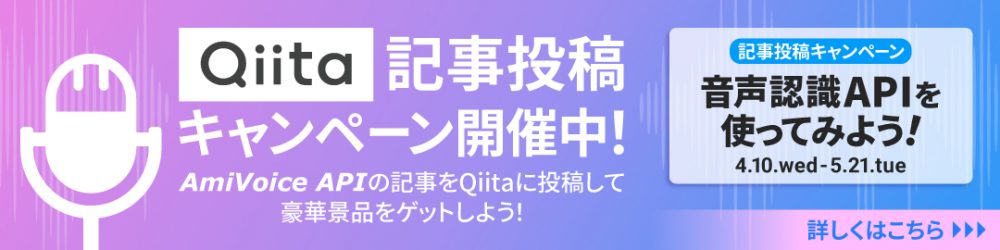
The "Article Posting Campaign: Try Using Speech Recognition APIs!" is a campaign being held until Tuesday, May 21, 2024. Please submit articles regarding your impressions and tips from actually using speech recognition APIs, integration into applications, collaboration with other services, and use cases. The manufacturer and type of speech recognition engine are not restricted. We are soliciting various articles that utilize speech recognition APIs from all participants.
In conjunction with this campaign, Advanced Media will issue free usage coupons for the speech recognition API service "AmiVoice API".
How to Redeem Your Free "AmiVoice API" Coupon
This section explains how to apply the coupon for "AmiVoice API".
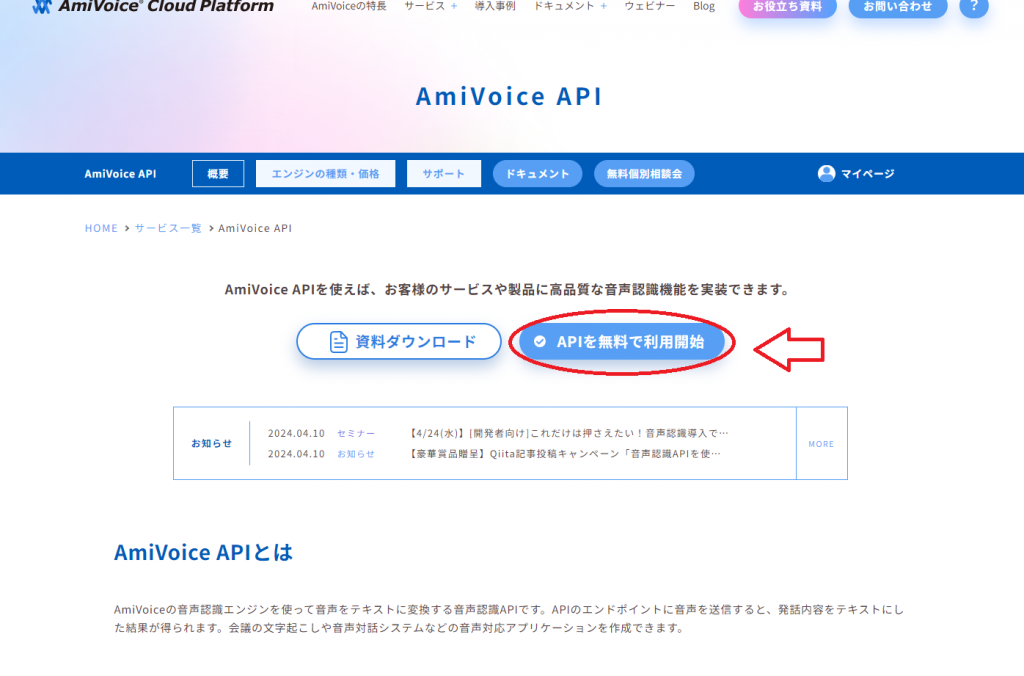
① First, access the "AmiVoice API" homepage. AmiVoice API Homepage
On the TOP page, there is a button labeled "Start Using API for Free"("APIを無料で利用開始"), so please click it. (Refer to the image below)
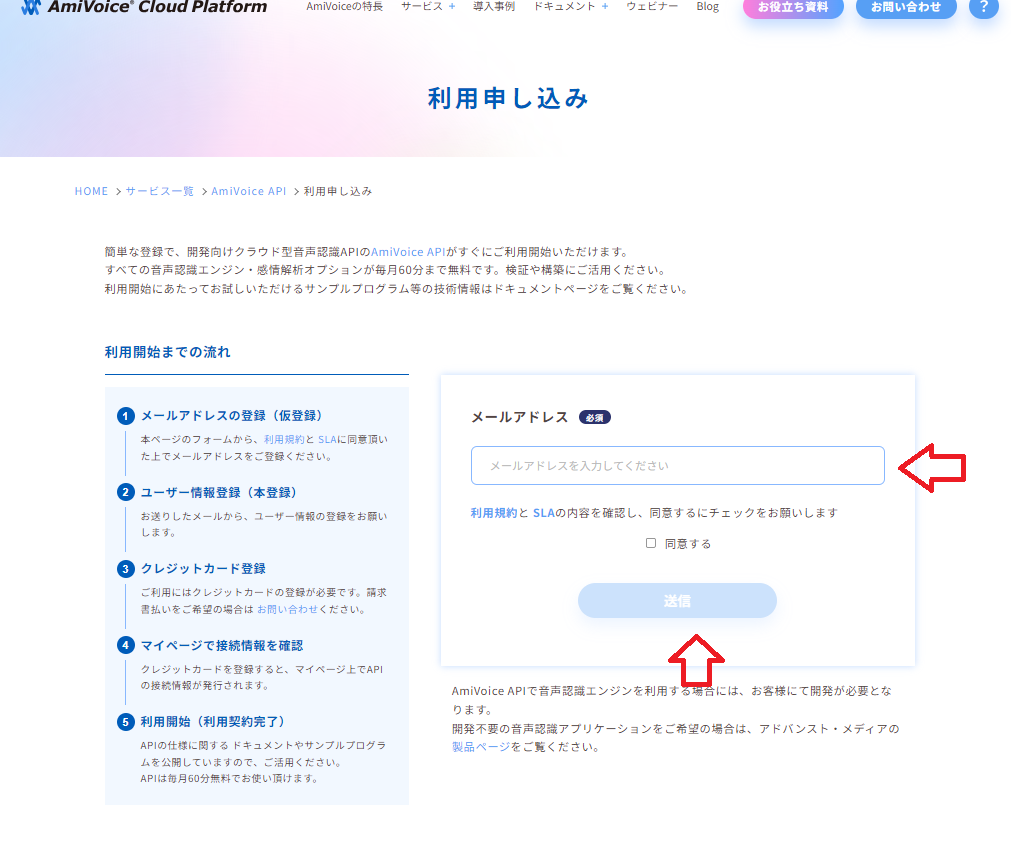
② Next, the email address input screen will appear, so enter your email address and click the "Send"("送信") button. (Refer to the image below)
③ Once you register your email address, you will receive an email from AmiVoice API with the subject "User Registration Guide"("ユーザー登録ご案内").
Access the user registration form in the email body. (Refer to the image below)
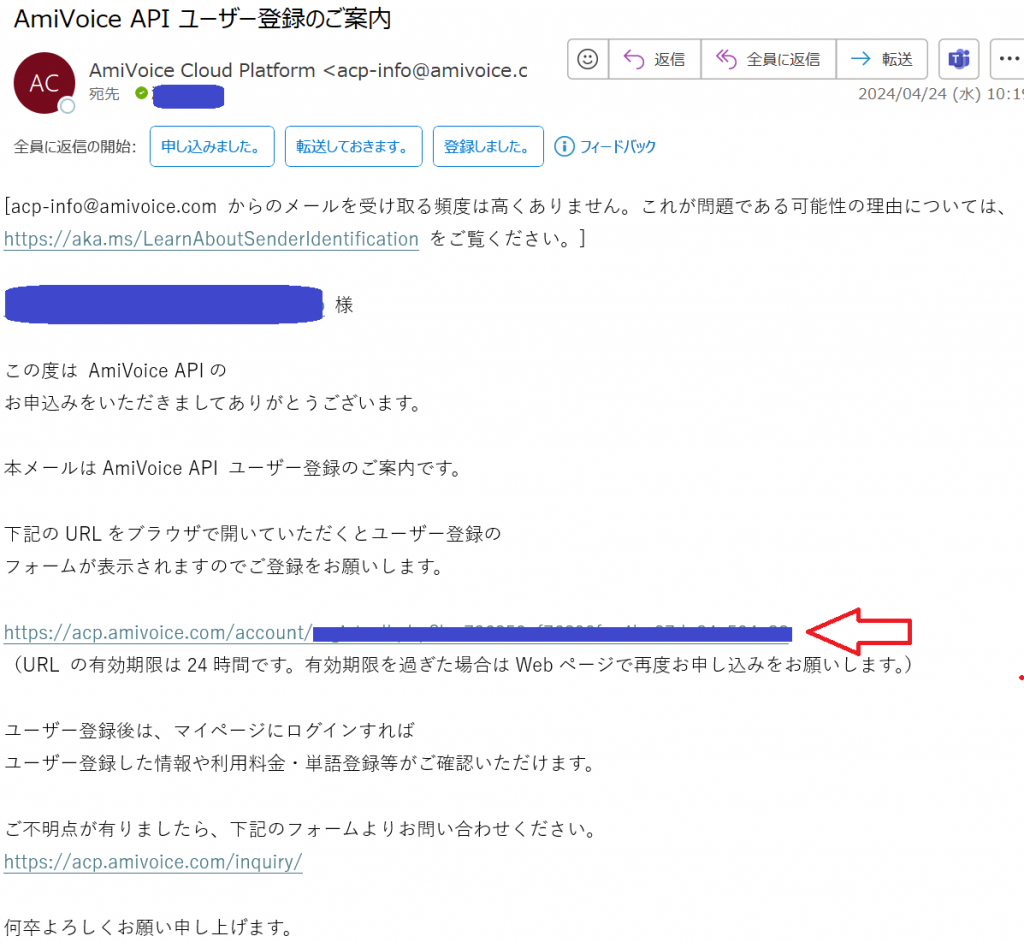
Clicking the URL will take you to the registration form shown below, where you can complete your registration.
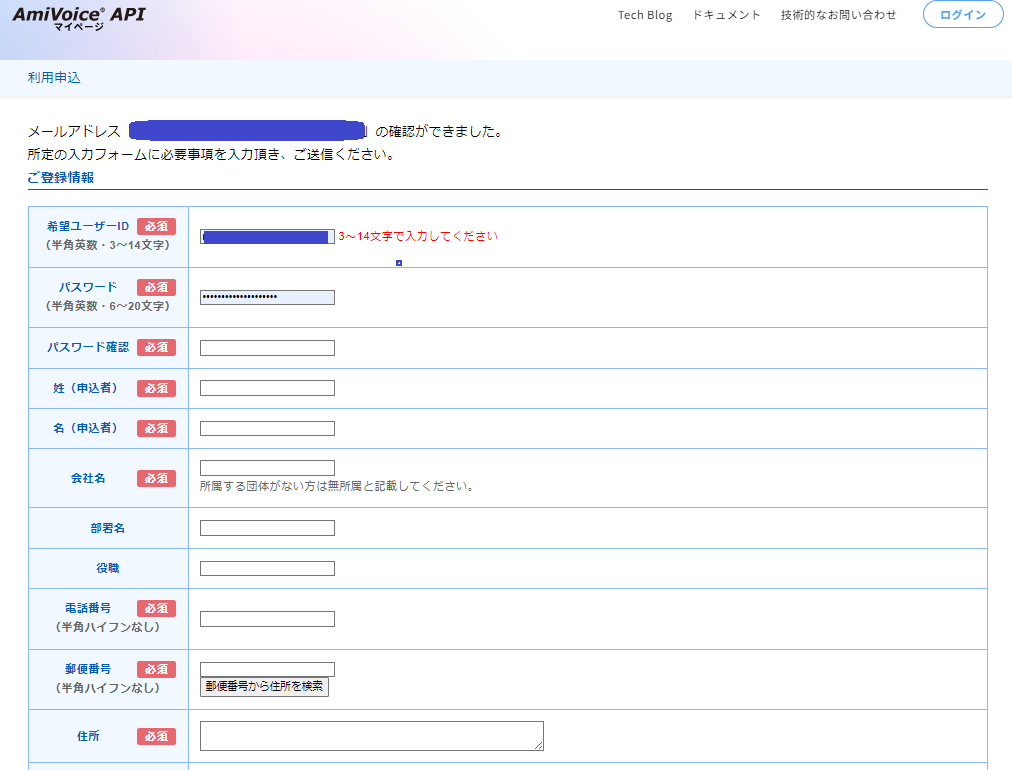
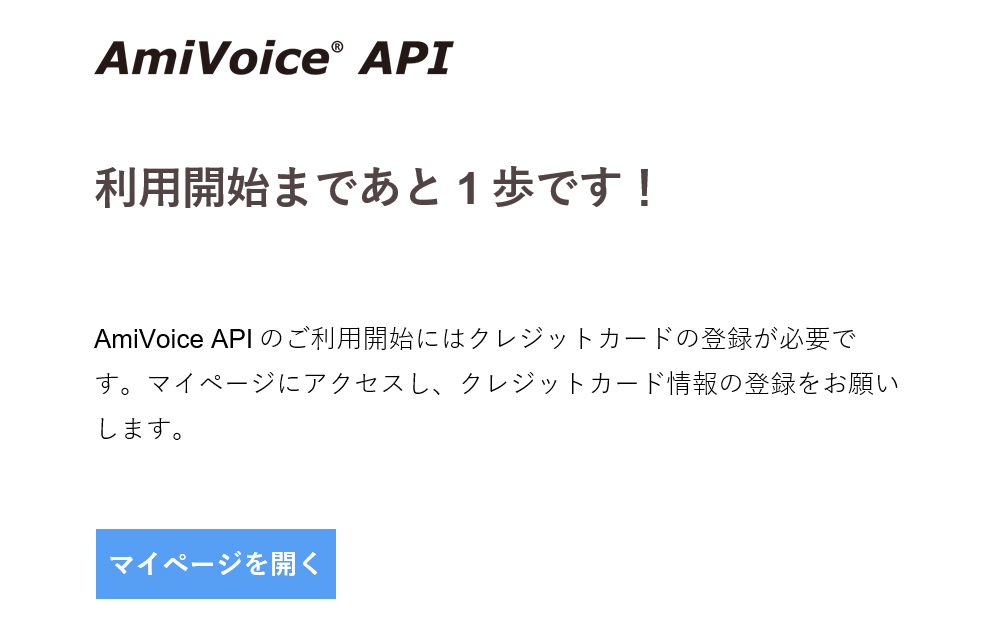
④ Upon successful registration, you will receive an email from the AmiVoice API stating "One more step until you can start using the AmiVoice API!" Click "Open MyPage" ("マイページを開く") in the email screen, and you will be directed to an input screen for the "ID" and "Password" that you set in the registration form. Enter them and log in to MyPage.
⑤ Click "Engine List" (エンジン一覧) from the menu on the left of the MyPage screen.
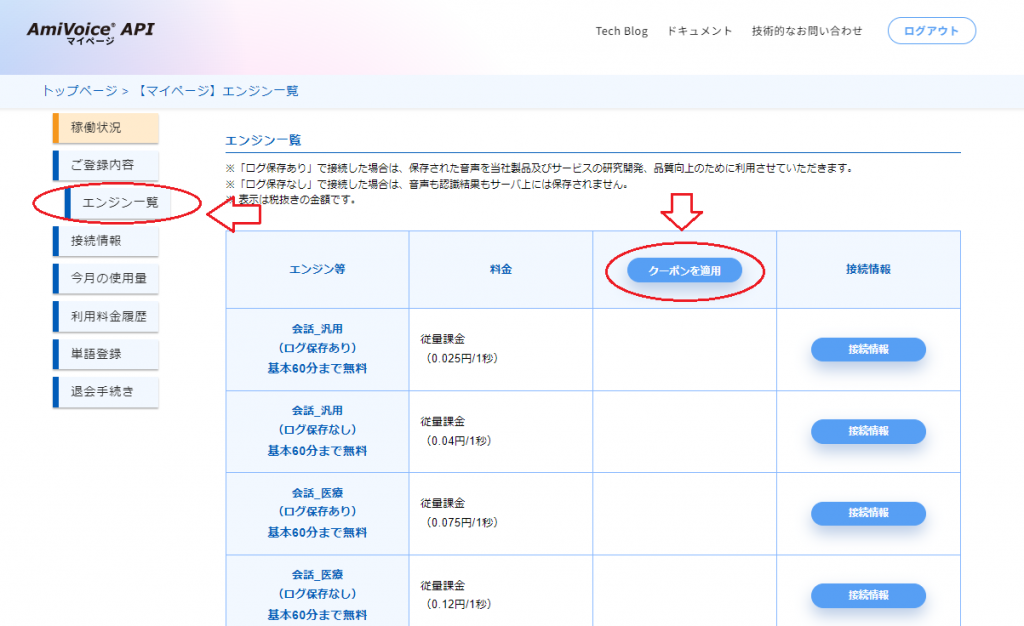
A list will then appear, so click "Use Coupon" (クーポンを使用) in the top right corner.
A coupon code input window will open, so please enter "2CtuNL347W" in the coupon code field.
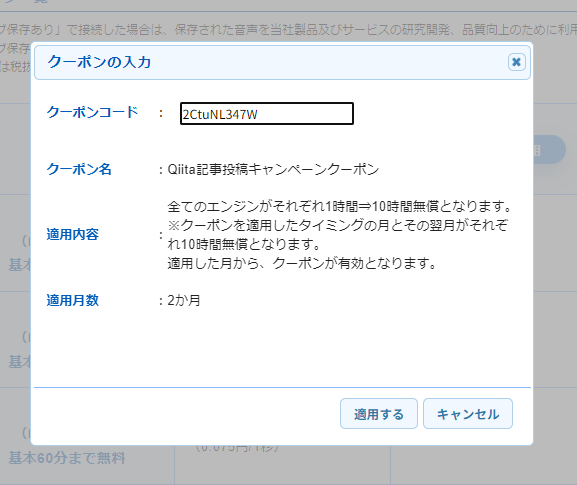
If you see the above text, the coupon code has been entered correctly. Click "Apply" (適用) at the bottom right. You will receive up to 2 free hours per month for two months (the registration month and the subsequent month), totaling 10 free hours.
This concludes the process for issuing the free AmiVoice API coupon for this campaign. We hope you will use it and post about your speech recognition experience!
How to Log Into AmiVoice API MyPage
If you want to log in to AmiVoice API MyPage, you can do so from the top of the AmiVoice API homepage.
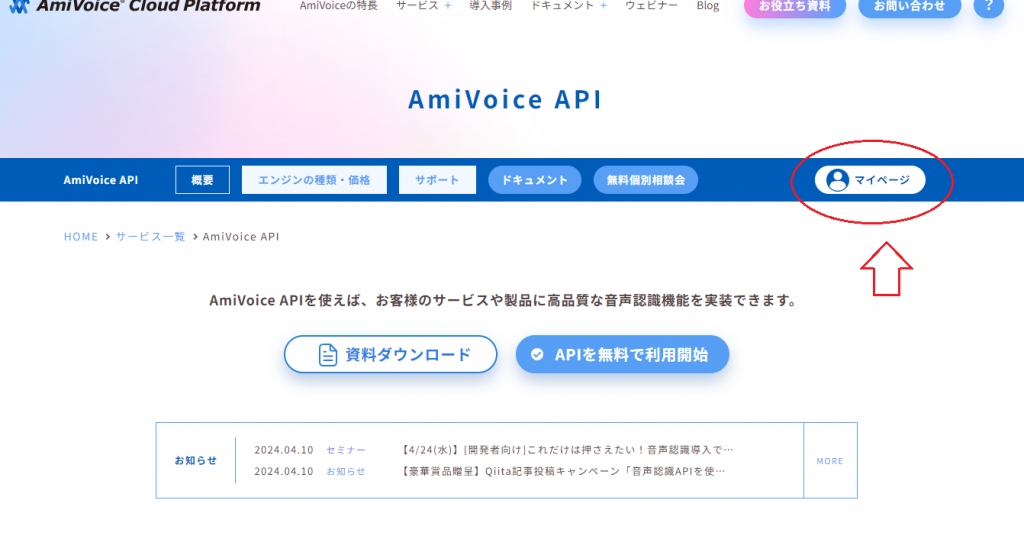
The face-shaped "MyPage"("マイページ") icon on the right is the entry point for logging in.
For more details about the "Article Submission Campaign: Try Using the Speech Recognition API!" campaign, please check out the article below!
Click here for details of the campaign ▼
Most Viewed Articles
-
A quick explanation of how speech recognition works!

-
Comparing the speech recognition rates of OpenAI's Whisper and AmiVoice for "conference" audio
-
How to use the AmiVoice API free coupon
New Articles
-
A 70-year history of speech recognition: How has the technology evolved?
-
AmiVoice on kintone - Flying Nimbus and Smooth Wind Ears -
-
Organizing the AmiVoice API manual for AI generation - Providing Markdown and llms.txt files -
Category List
- Introduction to Speech Recognition (18)
- How to Improve Speech Recognition Accuracy (14)
- Tried Building It (28)
- How to Use AmiVoice API (32)
- Comparison and Verification (9)
- Others (11)
Archive